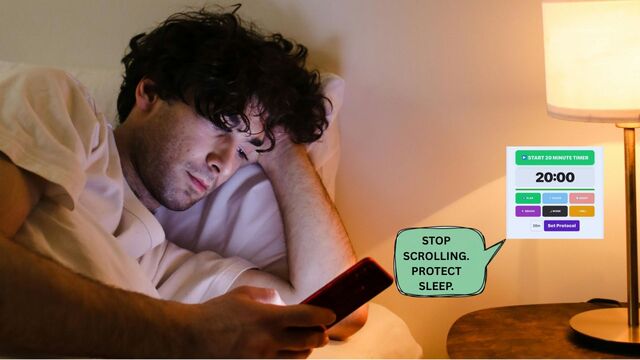

Learning how to stop scrolling at night is less about willpower and more about using a 20-minute Digital Sunset Protocol to shield your REM sleep architecture from blue-light-induced cognitive arousal.
Table of Contents
Sleep Readiness Audit: Identifying Digital Friction
📊 Sleep Readiness Audit
Identify your primary “Digital Friction” point to optimize your sunset protocol.
Sleep Architecture: Stimulus vs. Metabolic Recovery
| Activity State | Neural Frequency | Metabolic Impact | Protocol Intervention |
| Active Scrolling | High Beta (15-30 Hz) | Melatonin Suppression | 20-Minute Digital Sunset |
| Blue Light Input | High Arousal | Inhibits Adenosine Signal | Greyscale Mode Shift |
| Analogue Reading | Alpha (8-12 Hz) | Parasympathetic Onset | 5-Minute Neural Reset |
| Deep Sleep (Target) | Delta (0.5-4 Hz) | Glymphatic Clearance | The 24-Hour Reset |
The Neurobiology of the Digital Sunset: Melatonin vs. Blue Light
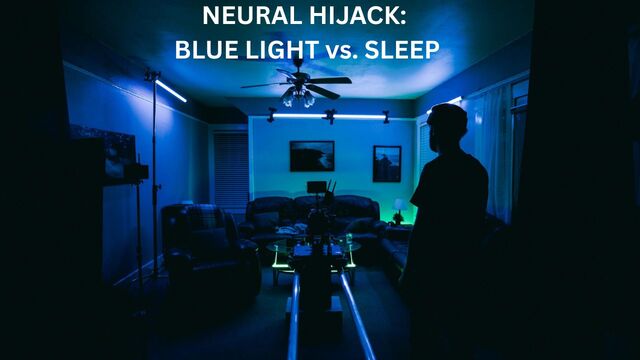
Modern screen use creates a state of “Neural Alertness” that is chemically incompatible with rest. When high-energy blue light hits your retina, it triggers the Suprachiasmatic Nucleus to halt melatonin production, effectively convincing your body it is midday.
This results in “Social Jetlag,” where your brain stays in a high-frequency Beta wave state long after the lights go out. To reverse this, we must transition through specific neural frequencies, moving from active processing to the Alpha-wave state of relaxation, which allows the natural accumulation of Adenosine to trigger sleep onset.
The Social Jetlag Factor: Why One Night of Scrolling Lasts a Week
Beyond immediate sleep delay, nocturnal digital consumption triggers Social Jetlag, a chronic misalignment between your biological clock and your professional schedule.
When you override “Sleep Pressure” (the accumulation of Adenosine) with high-dopamine content, you create a “Phase Shift” in your circadian rhythm.
Research indicates that even a 30-minute delay in sleep onset due to Cognitive Arousal can decrease next-day executive function by 20%.
By using a 20-minute timer to enforce a hard stop, you aren’t just saving an hour of sleep; you are preventing a metabolic crash that typically occurs 14 hours later.
| Neural State | Frequency | Activity | Transition Goal |
| High Beta | 15-30 Hz | Scrolling / Email / Gaming | Reduction Phase |
| Alpha | 8-12 Hz | Reflection / Reading / Calm | The 20-Minute Buffer |
| Theta/Delta | 0.5-7 Hz | Deep Sleep / REM | Target Outcome |
External Science Resource: Harvard Health: Blue light has a dark side
Circadian Regulation Protocols: The Role of Timed Inversion
In behavioural science, a “timed shutdown” works because it removes the burden of decision-making when your willpower is lowest. By using the 5-minute timer for physical environment prep and the 25-minute timer for an analogue “Friction Reset,” you are essentially building a bridge from high-dopamine scrolling to low-stimulus rest.
| Duration | The Protocol | Neural Impact | Timer Link |
|---|---|---|---|
| 20 Minutes | Digital Sunset | Full Melatonin Recovery | 20-Min Timer → |
| 5 Minutes | Neural Wind-Down | Conditions brain for sleep | 5-Min Timer → |
| 10 Minutes | The Brain Dump | Bypasses “Tired but Wired” anxiety | Night Owl Guide → |
| 25 Minutes | Friction Reset | Prepares environment for morning | 25-Min Timer → |
Friction Stacking: Engineering Your Environment for Sleep Onset
Friction is the most powerful tool in behavioural design. If an action is easy (like reaching for a phone on a nightstand), the dopamine-seeking brain will always choose it. “Friction Stacking” involves adding physical and cognitive obstacles between you and your device during the wind-down period.
This forces the “Rational Brain” to wake up and intervene before you fall back into a mindless scroll. By engineering your environment to make screen use difficult and analogue activities easy, you create a defensible sanctuary for your sleep architecture.
- The Master Alarm: Set your 20-minute timer. This is your “Point of No Return” once it sounds, the phone is officially quarantined.
- The Faraway Charge: Move your charging station to another room. The physical distance breaks the “Phantom Vibration” anxiety and removes the visual cue to check apps.
- Lumen Calibration: Transition to warm, amber lighting. This mimics the setting sun and encourages the parasympathetic nervous system to take over.
- Greyscale Activation: Strip the colour from your screen. Apps are designed with “Vegas-style” colours to keep you engaged; monochrome mode makes the device biologically boring.
- The Neural Anchor: Engage in a tactile, non-digital task like physical reading or light stretching to provide the brain with “Slow-Wave” stimulation.
The Device Quarantine Protocol: Bypassing the Dopamine Loop
Most “circadian regulation protocols” fail because they rely on self-control. Our Device Quarantine method uses a physical lockbox or a high-shelf “Out-of-Sight Zone.” By requiring a physical ladder or a key to access your device at night, you create a “Pause Point.” This 5-second delay is often enough for your biological clock to remind you that sleep is the higher priority.
Advanced Neural Stacking: Thermal and Cognitive Offloading
Beyond simple light avoidance, high-performance sleep involves managing your internal temperature and cognitive “open loops.” Cognitive load, the unfinished thoughts or work emails you read at 9:00 PM, acts as a stimulant, keeping your brain in an “Active Seeking” mode.
Stacking your wind-down with temperature modulation and batching curiosity allows the brain to fully “offload” the day’s data. This ensures that when you finally close your eyes, your mind isn’t still processing the 14 tabs you had open on your phone earlier in the evening.
- Batching Curiosity: Write down any “must-search” urges on a physical notepad tonight; you will then check these items during a dedicated 25-minute block tomorrow.
- Audio-Only Transitions: Switch from visual stimulation to brown noise or a sleep story to provide the brain with a “soft landing.”
- The Cooling Phase: Use your 20-minute window to lower your bedroom temperature to 18°C, which is the optimal thermal environment for Deep Sleep.

High-Arousal Traps: Why Night Mode Fails to Protect Sleep
Even with the best intentions, specific “Digital Traps” can derail your progress. Many users believe they can outsmart their biology by using tools like Blue Light Glasses or “Night Shift” modes.
While these reduce eye strain, they do nothing to address the “Cognitive Arousal” caused by the content itself.
A single stressful email or an engaging TikTok video spikes cortisol levels instantly, which can delay your sleep onset by up to 60 minutes, regardless of how many filters you have on your screen.
- The “Just One More” Trap: Relying on willpower instead of an automated timer.
- Blue Light Glasses Myth: They do not stop the dopamine spikes from engaging with content.
- Working from Bed: This creates a neurological link between your sleep space and high-cortisol activity.
- Notification Infinite-Loops: Failing to use “Do Not Disturb” allows external pings to dictate your biological clock.
The Dopamine Hangover: How Nocturnal Consumption Sabotages Morning Executive Function
While most advice focuses on sleep quality, the real information gain lies in how nighttime scrolling sabotages your next day’s motivation.
When you engage in high-speed digital consumption late at night, you aren’t just delaying sleep; you are overstimulating your brain’s reward system.
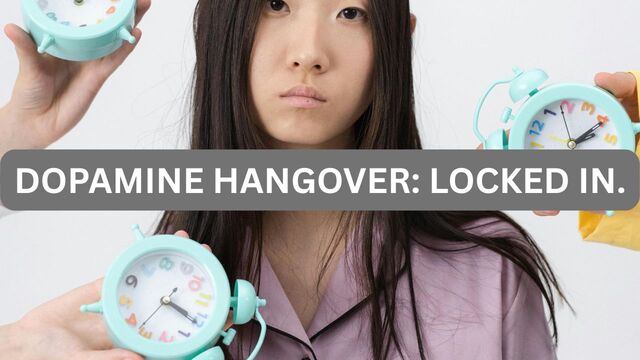
This creates a “dopamine hangover” the following morning, where low-stimulus tasks encounter significant resistance due to dopamine receptor downregulation and are difficult because your baseline for stimulation was set too high the night before.
By using a 5-minute timer to transition away from the screen, you allow your dopamine receptors to reset. This ensures that when you start your 25-minute timer for deep work the next morning, your brain is primed for focus rather than seeking another quick hit of digital distraction.
The Relaxation Paradox: Identifying Affective Forecasting Errors
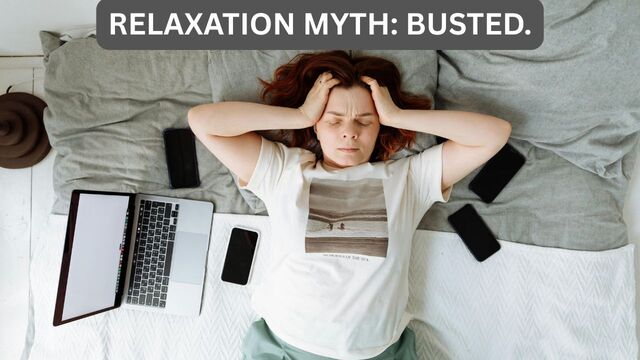
The most dangerous part of nighttime scrolling is a psychological glitch called an Affective Forecasting Error. This occurs when your brain inaccurately predicts how a future activity will affect your internal affective state. When you are experiencing high cognitive fatigue, your brain seeks “low-cost” recovery. It forecasts that opening a social feed will be “relaxing” or “rewarding.”
However, the reality is the opposite: once you begin, the rapid-fire micro-decisions and emotional whiplash of the feed actually increase your cognitive load. You are essentially trying to “rest” by giving your brain a high-intensity mental workout. By recognising this forecasting error, you can stop treating the phone as a relaxation tool and start seeing it as a high-stimulation device—making it much easier to put down during your 5-minute timer transition.
The “Rest” Trap: Why Your 11 PM Habit is Secretly Cognitive Labour
The Neural Reset Protocol: Final 3-Step Intervention
Don’t let a 15-minute scroll sabotage a 15-hour day. Use these three timed “interventions” to protect your brain’s baseline:
The 1-Hour Digital Sunset: Set your 1-hour timer to mark the official end of your digital day. This creates a firm boundary, ensuring you commit to a full sixty-minute wind-down without screen-based interruptions.
The 5-Minute “Brain Dump”: Use a 5-minute timer to offload search urges, lingering questions, and tomorrow’s to-do list into a physical notebook. This closes “open loops” and signals to your brain that the day is done.
The 25-Minute “Deep Rest” Bridge: Before turning out the lights, set a 25-minute timer for a strictly analog activity (reading, stretching, or meditation). This allows your dopamine receptors to recalibrate, ensuring you wake up with focus rather than mental fog.
Reclaim Your Biological Evening
Reducing late-night screen time is the highest-leverage productivity habit you can develop in 2026. By using simple timed protocols, you reclaim your biology from the “Attention Economy.”
Ready to reset? Use our 20-Minute Timer tonight and experience the impact of a true Digital Sunset.
FAQ: How to Stop Nocturnal Digital Consumption & Reset Your Sleep Architecture
How long does it take to reset your circadian rhythm after late-night scrolling?
Most users see a significant improvement in sleep latency, the time it takes to fall asleep, within 3 to 5 nights of consistent protocol use. By using a 20-minute timer to enforce a “hard stop,” you allow your cortisol levels to drop and melatonin to rise, aligning your internal clock with natural light cycles.
What should I do if I feel “bored” during the 20-minute Digital Sunset?
Boredom is actually the goal; it is the neurological signal that your brain is moving out of a high-frequency Beta state. Use this time for Batching Curiosity, writing down search urges on a physical notepad to check tomorrow. This offloads the cognitive loop without re-triggering the dopamine response caused by a screen.
Can I just use “Night Mode” or Blue Light glasses instead of a timer?
While these tools reduce eye strain, they do not address Cognitive Arousal. The content itself (social media, news, emails) keeps your brain in an “Active Seeking” mode. To truly learn how to stop nocturnal digital consumption, you must remove the stimulus entirely. A timed “Friction Reset” using a 25-minute timer ensures you are engaging in low-stimulus activities like reading or journaling instead.
Is it possible to “Catch Up” on sleep over the weekend?
Pro-Tip: Avoid the “Circadian Debt” Trap. One of the most common misconceptions in productivity is that you can “bank” sleep on Saturdays to make up for late-night scrolling during the week. In chronobiology, this is known as Circadian Debt, and it is impossible to pay back with a single long sleep.
When you use a 20-minute timer to stay consistent during the week, you maintain your “Phase Alignment.” If you sleep in until noon on Sunday, you effectively move your internal clock two time zones away.
This makes “Monday Morning Brain Fog” a biological certainty. To satisfy your 24-Hour Reset, try to keep your wake-up time within 60 minutes of your weekday routine, even after a “Digital Sunset” fail.