
13 Minute Timer
Loop Quiet 2 Earplugs
A quieter environment may make it easier to concentrate, but no accessory can guarantee focus or eliminate distractions instantly. Before buying anything, try practical steps such as silencing non-essential notifications, closing unrelated browser tabs and placing your phone out of reach.
If you use earplugs or headphones, choose an option that is comfortable and safe for your environment. Do not use noise-blocking equipment where you need to hear alarms, instructions, traffic or other safety-critical sounds.
As an optional aid, you can check the current price and availability of Loop Quiet 2 earplugs on Amazon.
Affiliate disclosure: This page contains affiliate links. As an Amazon Associate I earn from qualifying purchases. If you buy through this Amazon link, I may receive a commission at no additional cost to you.
Table of Contents
Why Use a 13-Minute Timer?
A 13-minute timer gives you a short, clearly defined period to begin one task, read, plan or complete a small piece of work. It can be long enough to make visible progress while still feeling manageable when getting started feels difficult.
Thirteen minutes is not a universally optimal focus duration. The most suitable interval depends on the task, the person and the environment. The practical advantage is simply that a defined interval gives a session a clear beginning and end.
Instead of waiting for motivation or trying to work indefinitely, choose one task and give it your attention until the countdown reaches zero.
How to Use the 13-Minute Timer
Use the 13-minute timer when you need a manageable starting block for one clearly defined task.
Before starting, choose a specific outcome. For example, draft an opening paragraph, review a short section of notes or process one small batch of administration.
When the timer ends, pause and review your progress. Stop if the task is complete, continue if you have useful momentum or take a deliberate break before another interval.
For wider guidance on sustained concentration, see our deep-work techniques and the site’s 2026 focus framework.
Ways to Use a 13-Minute Timer
A 13-minute timer can be useful in different ways depending on the problem you are trying to solve. The number itself is not the method: each approach below uses the same countdown for a different, clearly defined purpose.
Work and task management
- Start one defined piece of work: Use a 13-minute work sprint when you want a short work block followed by a deliberate 3-minute reset.
- Switch tasks without losing your place: A 13-minute task-switching timer helps you reach a sensible stopping point, record the next action and move to the next priority deliberately.
- Choose between short and longer focus blocks: Read 13-minute timer vs Pomodoro if you are deciding whether a shorter interval or a standard 25-minute Pomodoro better suits the task.
Study and learning
- Read in a classroom setting: The 13-minute reading timer for classroom is designed for a contained reading block and a clear classroom transition.
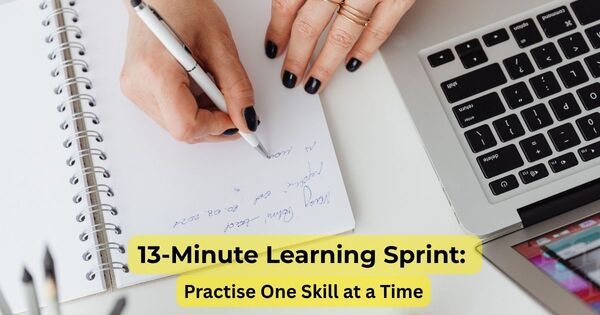
- Practise a skill or learn a small concept: Use a 13-minute learning sprint for focused practice rather than trying to learn a whole topic at once. For the research behind why shorter, focused sessions beat marathon study blocks, see our study tracker guide on finding your ideal focus session length.
- Revise for an exam using active recall: A 13-minute exam revision sprint follows a recall, check, correct and next-action routine for one narrow exam topic or question type.
Recovery and transitions
- Take a short nap: A 13-minute nap timer can provide a simple wake-up boundary when you want to rest briefly.
- Make the ending of a session feel less abrupt: If timer sounds cause tension or stress, read how a focus timer alarm can feel stressful before choosing an alarm sound and transition routine.
- Understand the purpose of a short focus block: See 13-minute cognitive micro-sprints for a careful explanation of why a short, defined interval may help with task initiation, without claiming that 13 minutes is universally best.
Everyday Examples
A 13-minute countdown can help with short activities where a visible endpoint makes it easier to begin or stop.
Starting a difficult task
Choose one small action you have been avoiding, such as drafting a paragraph, reviewing notes or organising a small group of files. If starting is consistently difficult, see why people procrastinate.
Routine administration
Use one block for a defined batch of emails, data entry, filing or similar routine work. Decide the boundary before starting and review what remains when the alarm sounds.
Writing and creative work
Use the interval for a rough draft, free-writing, journaling or a quick sketch. Treat the time limit as permission to postpone editing until the end, not as a guarantee of better creative work.
Planning and review
Use 13 minutes to outline priorities, prepare for a meeting or choose the next action in a project. Aim to leave with one written result rather than open-ended planning.
Screen-Free Breaks
A 13-minute timer can also provide a boundary for a short walk, stretch or pause away from a screen. It is not a treatment for eye strain, and 13 minutes should not be presented as a proven eye-care interval.
The commonly discussed 20-20-20 rule recommends looking at something approximately 20 feet away for 20 seconds every 20 minutes. Evidence about the rule is mixed: one study reported improvements in digital-eye-strain symptoms, while another review questioned whether the evidence supports treating the rule as a proven intervention. A screen-free pause may nevertheless be a practical way to vary visual and physical demands.
Read the research on the effects of breaks on digital eye strain and the review examining whether the 20-20-20 rule is supported by evidence.
A Practical 13-Minute Session
The following structure shows how to use the timer as a simple task-starting and review tool. It does not suggest that everyone experiences the same psychological phases or reaches a guaranteed state of flow.
Phase 1: Minutes 0–2 — Define the task
Decide what you will complete or advance before starting. Remove avoidable distractions and keep the task specific.
Phase 2: Minutes 2–13 — Work on one action
Continue with the chosen task until the timer ends. Avoid switching tasks unless the situation requires it.
Boundary: Minute 13 — Review and choose
When the alarm sounds, review your progress. Stop if the task is complete, continue if you have useful momentum or take a deliberate recovery break before starting another interval.
Optional next step: Add a 3-minute reset
If you want to repeat the session as a structured work-and-recovery routine, follow the sprint with the 3-minute reset timer and decide whether another cycle is appropriate.
Using a 13-Minute Timer for Exercise
A 13-minute timer can help structure a short workout, warm-up, mobility routine or interval session. If you’re timing sets and rest periods specifically, our guide to the benefits of a gym clock covers structured training intervals in more depth.
The timer controls the duration, but it does not determine the appropriate intensity, exercise selection or safety requirements.
A 13-minute workout is not automatically equivalent to a longer cardio session, and the duration alone cannot guarantee improvements in cardiovascular fitness, VO₂ max, calorie expenditure or recovery. Those outcomes depend on factors such as exercise intensity, work-to-rest ratio, training frequency, individual fitness and overall programme design.
For a safer approach, choose exercises appropriate to your ability, include a warm-up where necessary and stop if you experience pain, dizziness, unusual shortness of breath or other concerning symptoms. Beginners can use the timer for gentle movement, mobility or short work intervals rather than maximum-effort exercise.
The timer may also help you organise a longer routine into sections, such as a warm-up, exercise block and cool-down. For related ideas, see the guide to 20-minute workouts or this home workout routine for beginners.
Research on high-intensity interval training has examined effects on measures such as VO₂ max and BDNF, but the protocols vary considerably. Those studies do not establish that every 13-minute workout produces the same physical or neurological effects.

Frequently Asked Questions About the 13-Minute Timer
Can I ask Google or Alexa to set a 13-minute timer?
Yes, saying “Hey Google, set a timer for 13 minutes” or “Alexa, set a 13-minute timer” will start a countdown on that device. This page gives you the same 13-minute countdown online, useful if you want a large visible display, a custom alarm sound, or you’re working from a computer rather than a phone or smart speaker.
Is there an “official” 13-minute timer?
There’s no official or standardised 13-minute timer; it’s simply a flexible interval you can use however suits your task. This page gives you a straightforward, ad-free countdown you can set for 13 minutes, or any custom duration, whenever you need one.
Why use a 13-minute timer instead of a 15-minute timer?
Both durations can be useful. A 15-minute timer may be easier to remember, while 13 minutes provides a slightly shorter and less conventional time boundary.
The better option depends on the task and the duration you can use consistently. The value of the 13-minute timer comes from using a defined interval for a specific purpose, not from the number automatically producing better concentration.
How many 13-minute sessions can I complete in a day?
There is no evidence-based universal limit. The appropriate number depends on the task, your energy, your breaks and your wider schedule.
Start with one or two sessions, review how you feel and adjust the number as needed. If you use the 13-minute work sprint with a 3-minute reset, each complete cycle lasts 16 minutes. After several cycles, consider taking a longer break rather than continuing indefinitely.
Can a 13-minute timer replace the 25-minute Pomodoro Technique?
Not necessarily. The two formats serve different preferences and tasks.
A 13-minute interval may feel more manageable when you are starting a task or working through resistance, while a 25-minute Pomodoro interval may suit a task that benefits from a longer uninterrupted period.
You can compare both approaches in this guide to the Pomodoro Technique.
What should I do if the timer ends during a breakthrough?
Treat the alarm as a review point rather than an instruction that you must stop immediately. Pause briefly and decide whether continuing is sensible.
If you continue, consider recording that the task required a longer interval. If you stop, leave a short note identifying the next action so that returning to the task is easier.
Is a 13-minute timer suitable for children or students?
It may be suitable for some learners because a short, visible time boundary can make an activity feel more manageable. However, the appropriate duration depends on age, task difficulty, learning needs and the individual student.
Teachers and parents should avoid treating 13 minutes as a universal attention limit. For broader classroom timing beyond reading blocks, see our online classroom timer guide to 5-minute starters, reviews and lesson transitions.
For classroom applications, consider a dedicated classroom reading timer or visual timer suited to the activity and learner’s needs.
For learners who benefit from visual support, see our guide to visual timers for SEN classrooms.
What if 13 minutes feels too short?
If the timer ends before you have made meaningful progress, you can continue working, repeat the interval or choose a longer timer for that type of task.
The 13-minute interval is a starting option, not a rule that must be followed in every situation. The most useful duration is the one that helps you begin the task and work in a sustainable way.
Should I always take a 3-minute break after the timer?
A 3-minute reset is useful when you intend to repeat the 13-minute sprint, but it is not mandatory after every session.
If the task is complete, you may stop. If you are in the middle of productive work, you can review the situation and decide whether to continue. If you feel tired or physically uncomfortable, take the recovery time you need rather than treating the 3-minute period as a strict limit.
What time will it be 13 minutes from now?
Add 13 minutes to the current time on your clock, or start the timer above: it counts down live and reaches zero the exact moment 13 minutes have passed.
Ready to begin?
Set the timer for 13 minutes, choose one clearly defined task and review your progress when the alarm sounds.