
What Can You Do in 1 Minute?
This 1 minute timer gives you the shortest clearly defined period on this site, useful for a single quick decision, a fast physical reset or one short burst of activity. It is not long enough for most meaningful work, but it is enough to interrupt a habit, start a task you have been avoiding or complete one very small action
Choose one specific action before you start, sixty seconds leaves no time to decide what to do once the countdown begins.
For more ideas on what fits into this exact window, read our guide on what you can do in 1 minute. If one minute feels too short for what you have in mind, our 2-minute timer and 3-minute timer give you a little more room.
Table of Contents
Examples of one-minute activities
- Make a quick decision you have been putting off
- Reply to one short message
- Tidy a single surface or drawer
- Do one minute of press-ups, squats or jumping jacks
- Take sixty seconds of slow, deliberate breathing
- Stand up and stretch
- Scan your inbox and flag anything urgent
- Set your next task before switching screens
How to Use This 1-Minute Timer
Use this online 1 minute timer when you want a hard, visible boundary for something that should only take sixty seconds, a decision, a quick task, a short burst of exercise or a brief pause.
- Choose one specific action or decision.
- Confirm the countdown is set to 01:00.
- Choose an alarm sound if the option is available.
- Press Start and focus on that one thing.
- Stop, repeat or move on when the timer ends.
To set a timer for 1 minute, select or confirm 01:00, check your sound settings and start the countdown. Sixty seconds is short enough that there is rarely a reason to pause partway through.
One-Minute Focus and Quick Decisions
A one-minute timer works best as a forcing function rather than a work session. Sixty seconds is not long enough to make real progress on most tasks, but it is long enough to make one small decision, send one short reply or commit to starting something larger.
The hardest part of a task is often the decision to begin it rather than the task itself. A visible sixty-second countdown gives you a deadline too short to negotiate with, which can be useful exactly because there is no room to overthink it.
Quick-decision uses
- Decide between two options you have been going back and forth on
- Send a reply you have been drafting in your head
- Choose the next task on your list instead of scrolling past it
- Commit to starting a larger task once the minute ends
If a single decision does not need the full structure of a longer session, see our guide to why we procrastinate for the psychology behind why short deadlines like this can help. If one minute of commitment is too short to get real momentum, our 3-minute timer and 5-minute timer give you more room to actually start.
One-Minute Breaks and Resets
A sixty-second break will not meaningfully reduce fatigue the way a longer break might, but it can interrupt a spiral of distraction, screen time or rumination for long enough to reset your attention.
Ideas for a one-minute reset
- Stand up and look away from your screen
- Take several slow breaths
- Stretch your neck, shoulders or wrists
- Drink some water
- Step outside, even briefly, if that is possible
- Close one unnecessary browser tab
One minute is a short enough commitment that it is rarely the wrong choice, it is also short enough that it will not replace a longer break when you actually need one. For a broader look at break length, read how long should work breaks be. If sixty seconds is not enough, our 3-minute micro-break and 5-minute timer cover a slightly longer reset.
One-Minute Exercise and Interval Timing
A one-minute timer works well as a single interval within a longer workout, a warm-up movement, or a quick, standalone burst of activity when you do not have time for anything longer.
Possible exercise uses
- One minute of press-ups, squats or jumping jacks
- A single interval within a HIIT circuit
- A brief mobility or stretching movement
- A one-minute plank hold
- A fast warm-up before a longer session
Sixty seconds of activity will not replace a complete workout, and the right intensity and exercise selection depend on your own fitness level and goals, not on the length of the timer. For a complete short routine rather than a single interval, see our 3-minute HIIT workout guide. Stop if you experience pain, dizziness or shortness of breath, and seek appropriate advice if you have a health condition or concerns about vigorous exercise.
Classroom, Kids and Quick Games
A one-minute countdown can work well for short classroom activities, quick-fire questions, tidy-up prompts or simple games where a visible timer adds a bit of urgency.
Possible classroom and kids’ uses
- A quick-fire question round
- A one-minute tidy-up prompt
- Timing a short turn in a game
- A fast icebreaker or warm-up activity
- A brief transition between activities
For longer classroom activities, see our online classroom timer, and for younger children, our 5-minute timer for kids covers routines with a bit more room than sixty seconds allows.
Timer Settings and Alarm Controls
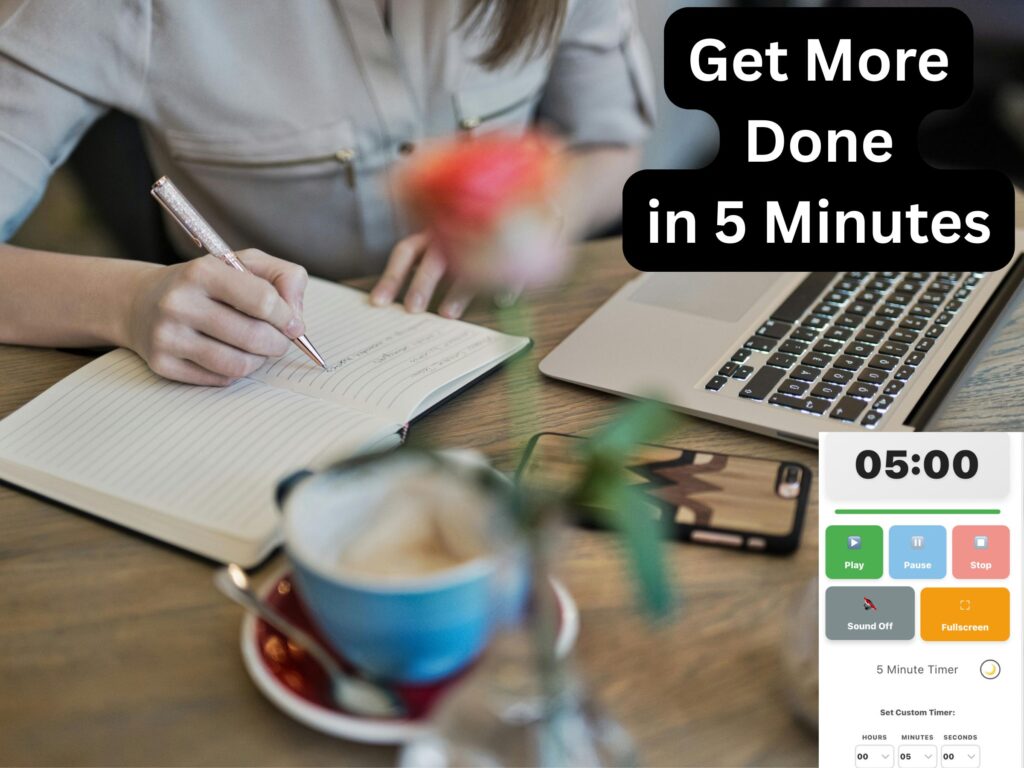
The 1-minute timer provides a simple countdown with alarm options you can choose before you start. Confirm the duration, select a sound if available and press Start when ready.
Available timer actions
- Start a one-minute countdown
- Pause the timer temporarily
- Stop and reset the countdown
- Choose an alarm sound
- Adjust the volume through your device
- Use fullscreen mode where supported
- Set a custom duration for a different activity
Before relying on the alarm, check that your device volume is on, your browser tab is not muted, and your speakers or headphones are connected. Browser and device settings can affect whether you hear the alert, so test the sound before using the timer for anything important. For safety-critical activities, do not rely on a browser timer as your only warning system.
Embed This 1-Minute Timer
Add a simple one-minute countdown to your website for quick decisions, short breaks or fast intervals. Copy the embed code below and paste it into an HTML block on your site.
Frequently Asked Questions About the 1-Minute Timer
How do I set a timer for 1 minute?
Select or confirm the 01:00 countdown, choose an alarm sound if available and press Start. The timer will count down for sixty seconds before signalling that the time is up.
Can I use this as an online 1 minute timer?
Yes. This is a free online 1 minute timer that runs in your browser on a computer, tablet or phone, no sign-up or download needed.
Can I ask Google, Alexa or Siri to set a 1-minute timer instead?
Yes, saying “set a timer for 1 minute” to any voice assistant works without opening this page. Use this timer instead when you want a visible countdown on screen, a specific alarm sound, or you’re working from a computer without a smart speaker nearby.
Is this the same as a 1-minute stopwatch?
Not exactly, a stopwatch counts up from zero, while this timer counts down from one minute to zero. For timing an exact sixty-second duration, both give you the same result, the countdown format just gives you a clear visual and audible signal the moment the minute is up.
Can I play music while the 1-minute timer runs?
This timer doesn’t play background music itself, it’s built around a visible countdown and an alarm sound at the end. If you want music playing, run it from a separate tab or app alongside this timer, the countdown and alarm will still work normally underneath it.
Does this timer repeat automatically?
No, this timer runs one sixty-second countdown per session and sounds a single alert when it reaches zero. To use it as a repeating interval, press Play again as soon as each round ends.
What can I use a 1-minute timer for?
You can use it for quick decisions, short replies, a fast physical reset, one exercise interval, a brief classroom activity or a quick game. For more ideas, see what you can do in 1 minute.
Is a one-minute break actually useful?
A one-minute break is short enough that it will rarely be the wrong choice, but it is also too short to meaningfully reduce fatigue on its own. It works best as a quick interrupt rather than a substitute for a proper break when you need one.
Can I use the timer for exercise?
Yes, for a single interval, a warm-up movement or a short burst of activity. It does not determine the correct intensity or guarantee a particular fitness result.
Can I use the timer in a classroom?
Yes, for quick-fire questions, short games, tidy-up prompts or brief transitions. For longer classroom activities, a duration with more room, like our online classroom timer, usually works better.
Can I change the alarm sound?
If the timer provides sound options, select your preferred alarm before starting. Make sure your device is not muted and that the browser tab can play audio.
Does the alarm work if my device is muted?
A muted device, browser tab or disconnected audio output may prevent you from hearing the alarm. Test the sound before relying on the timer for anything important.
Can I use the timer on my phone?
Yes, on a supported mobile browser. Keep the timer page open and check your device’s sound and battery settings before starting.
What if one minute is not long enough?
You can repeat the countdown, or choose a longer timer for that task. Our 2-minute timer and 3-minute timer are the next steps up if sixty seconds consistently feels too short.
Is one minute a scientifically proven duration for anything?
No. Sixty seconds is a convenient, memorable length rather than a figure backed by a specific body of research. Its usefulness comes from being short enough to commit to without hesitation, not from any particular property of the number sixty.