
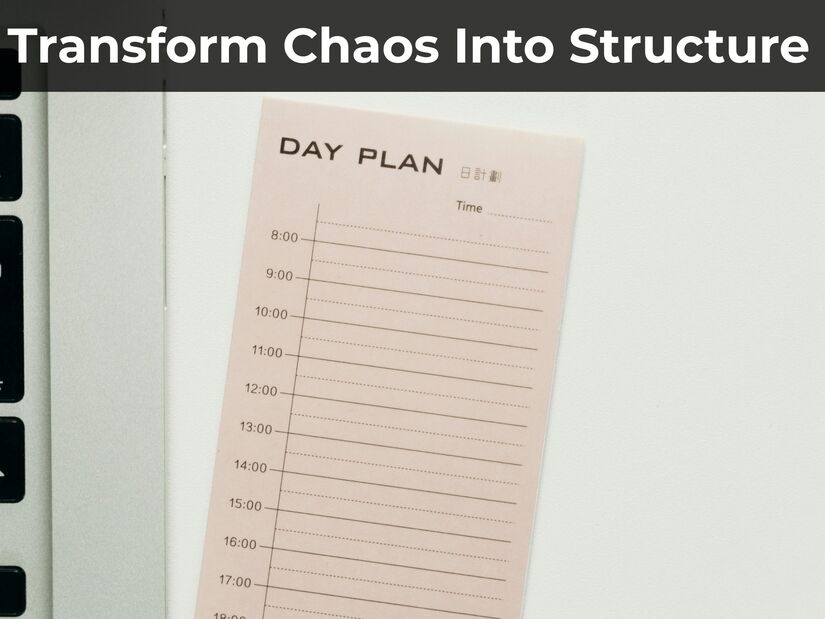

You start each morning with eight tasks on your list. By 11 am, you’ve answered 47 emails, sat throuxgh two surprise meetings, and added six more jobs. That important work you planned? Still not done.
This is where the time blocking method changes everything, allowing you to reclaim your calendar from reactive tasks. Instead of letting your day happen to you, you decide exactly when each task gets done and protect that time like any other appointment.
Time blocking works differently from a simple to-do list. A list tells you what needs doing, time blocking decides when.
Once a task has a slot on your calendar, it’s treated like any other appointment, not something you’ll get to if there’s time.
This guide shows you how to use time blocking to turn chaotic days into focused work sessions. You’ll get practical strategies that work even when interruptions happen, and plans change.
What Time Blocking Actually Means
Time blocking involves dividing your day into specific time intervals. Each chunk has one particular task or type of work.
Instead of keeping a to-do list and picking tasks randomly, you decide in advance what you’ll work on from 9-10 am, 10-11:30 am, and so on. Each block has one job.
Cal Newport, author of Deep Work, suggests that time blocking means assigning a purpose to every minute of your day. This doesn’t mean being rigid. It means being purposeful.
This method works because it stops you from making dozens of small decisions that drain your energy. You’re not constantly asking “what should I do now?” You already decided during planning.
A Brief History of Time Blocking
Time blocking isn’t a modern productivity hack dressed up with a new name, it’s a very old habit that got formalised.
Structuring a day around fixed times for specific activities goes back as far as early calendars themselves, originally used to plan agricultural tasks like planting and harvesting at the right time of year.
One of the clearest early examples on record is Benjamin Franklin. In his autobiography, he described planning nearly every hour of his day: long blocks for focused work, two hours set aside for lunch and a daily question to open and close the day, “What good shall I do this day?” in the morning, “What good have I done today?” at night. It’s a close structural match for what this guide describes, just two and a half centuries earlier.
The method stayed mostly a paper habit until personal digital assistants and then smartphones made digital calendars common in the 1990s and 2000s, which is around when “time blocking” came to mean dragging coloured blocks onto a screen rather than ruling lines in a notebook.
Cal Newport is the person most responsible for bringing it back into mainstream conversation for knowledge workers, through Deep Work (see above).
Other well-known figures are reported to use especially granular versions of it: Business Insider reported in 2017 that Elon Musk divides his day into five-minute slots, and Bill Gates has been described the same way.
The Psychology Behind Why Time Blocking Works
Research on context switching shows that jumping between tasks costs real time and accuracy, and the cost grows as tasks get more complex, documented in controlled experiments by psychologists Rubinstein, Meyer, and Evans, published via the American Psychological Association.
Time blocking creates what psychologists refer to as implementation intentions. This comes from NYU psychologist Peter Gollwitzer’s research: a 2006 meta-analysis of 94 studies by Gollwitzer and Sheeran found a consistent effect on follow-through, and an earlier study found people who made a specific when-and-where plan were about three times as likely to complete the task
When you block 10-11:30 am for report writing, you’re not just scheduling. You’re making a promise to yourself that helps you resist distractions during that time.
Decision fatigue matters too. Every choice about what to work on next uses up mental energy you need for actual work. By planning your whole day in one go, you save that energy for tasks that matter.
How to Create Your First Time-Blocked Day
Start with tomorrow. When first using the time blocking method, don’t try to plan your whole week straight away.
Step 1: Write down all your tasks (5 minutes)
List everything that needs doing: meetings, calls, emails, project work, admin tasks, breaks. Get it all written down.
Step 2: Guess how long each task takes (5 minutes)
How long does each task really take? Not how long you wish it took. Add roughly 25% extra time to your guesses. People reliably underestimate how long tasks take, a well-documented bias called the planning fallacy, so build in a buffer rather than trusting your first estimate. That report isn’t a 2-hour task if it usually takes you 3 hours.
Step 3: Block your calendar (10 minutes)
Open your calendar and create blocks. Use a 1-hour timer for most normal tasks like processing emails, preparing for meetings, or routine work. Save 90-minute deep work blocks for difficult tasks that need serious focus.
Step 4: Use colours for different types (optional)
Try colour-coding: blue for focused work, green for meetings, yellow for admin tasks, red for urgent items. Different colours make it easier to see if your day is balanced or packed with one type of work.
Step 5: Add buffer time
Put 30-minute gaps between major blocks. These catch the tasks that run over and unexpected requests without ruining your time blocking method for the rest of the day.
A Full Time-Blocked Day: A Worked Example
Here’s what the five steps above look like assembled into an actual day. This isn’t a template to copy exactly, your job and energy patterns are different, but it shows how the pieces fit together.
7:00-7:30am — Morning routine (personal time, non-negotiable)
7:30-8:00am — Email triage, nothing more (admin)
8:00-9:30am — Anchor block: your hardest task of the day (deep work, protected, no notifications)
9:30-10:00am — Buffer
10:00-11:00am — Scheduled meetings
11:00-11:30am — Interrupt block, for anything urgent that came up
11:30am-12:30pm — Project work (deep work)
12:30-1:30pm — Lunch
1:30-2:30pm — Calls and meetings
2:30-3:00pm — Buffer
3:00-4:00pm — Admin and emails, batched
4:00-4:30pm — Reserved for anything that ran over
4:30-5:00pm — Plan tomorrow’s blocks
Notice what’s doing the work here: the anchor block protects your single most important task, the interrupt block and buffers absorb the inevitable disruptions instead of letting them wreck the whole day, and admin tasks are batched into one slot instead of scattered throughout.
About 20% of this day is deliberately left flexible, two buffers, an interrupt block, and a reserved slot for overruns, rather than packing every minute. A day with fewer fixed meetings would have more room to push that closer to the 30-40% recommended above.
Want to try this yourself? Download the free Daily Time Blocking Planner (PDF) and print one for tomorrow.
Block Duration Strategies That Actually Work
💡 Pro-Tip: Execute your deep work blocks with precision.
If you are using 50-minute time blocks for high-intensity output, use our 50-Minute Timer. It is calibrated to help you maintain your focus window and build consistent cognitive endurance.
Different work needs different block lengths.
25-minute blocks work well for tasks when you frequently get interrupted or when you’re just starting with time blocking. An 18-minute block is worth trying too if 25 minutes feels slightly long for a given task, or a 20-minute block if you want something a little closer to the full length without going all the way there. Set a 25-minute work timer, focus completely, then take a proper break. Perfect for batching emails, quick calls, or handling small admin tasks.
40-60 minute blocks handle most professional work well. An hour gives you enough time to make real progress without getting tired. Use a 40-minute timer when you need to focus but aren’t doing your hardest thinking work.
90-minute blocks are for deep work only. Save these for writing, strategic thinking, complex problem-solving, or learning new skills. Many people find 90-minute blocks work well for intensive focus, long enough to get into deep work, short enough to sustain concentration. This is often linked to ‘ultradian rhythms,’ but the research behind a fixed 90-minute cycle during waking hours is much thinner than the popular version suggests, so treat it as a practical starting point rather than a proven rule.
2-3 hour blocks work when you absolutely can’t have interruptions and the task needs building complex mental models. Most people can only manage one of these per day.
The trick to a successful time blocking method is matching your block length to the difficulty of the task and your energy levels at different times.
Handling the Inevitable Interruptions
Time blocking isn’t about stopping all flexibility. It’s about being purposeful when plans change.
A core part of the time blocking method involves creating ‘interrupt blocks’. Schedule 30-60 minutes for interrupts/emergencies in your calendar. When urgent requests arise, you have time set aside to handle them rather than immediately stopping your current focus block.
Use the 2-minute rule within blocks. If something genuinely takes less than 2 minutes, do it now. If it takes longer, add it to tomorrow’s plan or your interrupt block today.
Adjust, don’t abandon. When a block gets interrupted, don’t throw out the whole system. Pause, check how much time is left in your block, and decide: continue with this task, or move the remaining time to a different block later today?
Protect your most important block. Pick one block each day that’s non-negotiable. Tell your team about it. Turn off notifications. This is your anchor block where the most critical work happens no matter what else goes wrong.

Common Time Blocking Mistakes
Mistake 1: Blocking every single minute when first adopting the time blocking method
Leave 30-40% of your day unplanned. Life happens. Projects run over. People need five minutes of your time. If you pack every minute, your first interruption destroys the whole day’s plan.
Mistake 2: Ignoring your energy patterns
You’re not equally productive all day. Schedule your hardest thinking work during your peak energy hours. This varies by person, some people’s energy peaks within a couple of hours of waking, others peak much later in the day.
Track your own energy for a week to find your actual window rather than assuming a fixed one. Don’t waste that window on emails.
Mistake 3: Making blocks too long
Three-hour marathon blocks may sound productive, but often lead to worse results and burnout. How long you can sustain good focus varies by person and by task, for some it’s well under 60 minutes, for others it’s longer.
Notice when your own concentration starts slipping rather than assuming a fixed ceiling. After that, take a proper break.
Mistake 4: Not batching similar tasks
Group-related work together. Process all emails in one block instead of spreading email time across six different blocks. Your brain functions more effectively when it can stay in one mode.
Mistake 5: Treating it like concrete
Your time blocks are promises to yourself, but they’re not prison sentences. When genuine changes happen, adjust your blocks. The discipline is in making purposeful adjustments, not in stubbornly sticking to a plan that no longer makes sense.
Advanced Time Blocking Method Strategies
Theme days: This advanced version of the time blocking method involves giving whole days to specific types of work. Mondays for meetings and planning. Tuesdays and Thursdays for deep project work. Wednesdays for collaboration. This cuts down daily task-switching further.
Reverse blocking: Instead of blocking time for tasks, block time you WON’T work. Protect evenings, weekends, or specific hours for family. Everything else is available for work. This prevents work from eating up all your time.
Energy-based blocking: Track your energy levels for a week. Notice when you’re naturally most alert, creative or social to better align your time blocking method with your biological peaks. Schedule your blocks to match those patterns instead of fighting them.
Minimum viable blocks: For each major project, determine the shortest block length that lets you make progress. Sometimes, 15 minutes of protected time beats waiting for a “proper” 2-hour block that never comes.
Weekly planning sessions: Block 30-60 minutes every Sunday or Monday morning to plan your whole week’s blocks. This planning ensures your daily blocks align with your bigger priorities rather than just urgent tasks.
If you’re new to organised scheduling, our guide on managing your time better helps you understand how time blocking fits into a broader productivity system.
When deciding how long to make your blocks, our article on optimal focus session duration gives research-backed guidance for matching block length to task type.

How Time Blocking Compares to Other Methods
Time blocking isn’t the only way to organise your day, and it isn’t always the right one. Here’s how it stacks up against the other systems you’ve probably tried.
Vs. a plain to-do list: A to-do list tells you what needs doing. It doesn’t tell you when, so tasks compete for your attention all day, and the easiest one usually wins, not the most important one. Time blocking fixes this by giving everything a slot, but it also takes more upfront planning than just writing a list.
Vs. the Eisenhower Matrix: The Eisenhower Matrix sorts tasks into four boxes by urgency and importance, helping you decide what deserves your time. It tells you what to prioritise, not when to do it. Many people use both together: sort with the matrix first, then block the result onto your calendar.
Vs. kanban boards: A kanban board (To Do, Doing, Done columns) is built for tracking the status of ongoing work, especially across a team, rather than planning one person’s day. It shows you what’s in progress, not when you’ll work on it. Time blocking protects focused time; kanban gives visibility across a project.
Vs. the Pomodoro Technique: These aren’t rivals, see the FAQ below, Pomodoro governs the work/rest rhythm inside a single time block rather than competing with the overall system.
Frequently Asked Questions
What is the actual difference between the time blocking method and standard scheduling?
Scheduling means noting when things happen, like “meeting at 2 pm.”
Time blocking gives specific work to every hour of your day. You’re not just tracking appointments.
You’re actively planning how you’ll spend each hour. A scheduled calendar might show “9-5 work”
whilst a time-blocked calendar shows “9-10:30 financial analysis, 10:30-11 email, 11-12:30 client presentation prep.”
How detailed should my schedule be when using the time blocking method?
Specific enough to stop you deciding what to do, but not so rigid you can’t adapt.
“Write quarterly report” is better than just “writing”, but you don’t need “write introduction paragraph 1-3, then section 2A.”
The goal is clarity about what you’re doing, not managing every sentence.
What if I have too many meetings to time-block effectively?
Block time between meetings to work on those meetings. If you have back-to-back calls from 9-12, block 1-2 pm for “meeting follow-up actions.”
Also, verify whether all those meetings are actually necessary.
Time blocking often reveals how much meeting time is lost to actual work time, which can justify pushing back on low-value regular meetings.
Should I also time-block my personal life, too?
Many people find that blocking personal time (such as exercise, family dinner or hobbies) helps prevent work from consuming all available hours.
You don’t need to block “7:14-7:31 brush teeth”, but protecting “6-8 pm family time” or “7-8 am morning routine” creates boundaries that improve work-life balance.
The trick is blocking what matters to you, not making a minute-by-minute prison.
How do I handle days when everything goes wrong?
Expect one day per week to fall apart completely. That’s normal. When it happens, save what you can: find your single most important task and protect just one block for it.
Tomorrow, examine what caused the problem and adjust your planning. You may need more buffer blocks.
Certain types of meetings often run over. Learn from and adapt instead of abandoning the system.
Is the time blocking method the same as the Pomodoro Technique?
They work well together but aren’t the same.
The Pomodoro technique is a specific timing pattern (25 minutes work, 5 minutes break) that works within a time block. You might have a 2-hour time block for writing and use Pomodoro intervals within that block.
Time blocking is about what you work on when. Pomodoro is about the work/rest rhythm during focused work.
Master the Time Blocking Method Today
Don’t just plan, execute. Use our built-in tools to manage your blocks:
5-Minute Planning Timer (For your morning review)
Start Your Time Blocking Method Journey Tomorrow
The time blocking method works because it replaces constant decision-making with purposeful planning. You’re not more productive because you’re working harder. You’re productive because you’re removing the friction that stops deep work.
Start with one well-planned day before trying to block your whole week. Use tomorrow as your experiment.
Block your most important task first, add necessary meetings and other commitments, then fill in the gaps with realistic time estimates.
When your first block starts tomorrow, set your 90-minute deep work timer and experience what it feels like to work without wondering what you should be doing instead.
That clarity is what makes time blocking powerful.