Professional woman using 1 hour timer for focused work session at organised desk with computer

How to Use a 1 Hour Timer for Maximum Productivity

1 Hour Timer

1 Hour Timer

01:00:00
Set your custom timer duration and choose your preferred alarm sound

Add This 1 Hour Timer to Your Website

Boost productivity for your visitors – just copy and paste:

Ever sat down to work, only to look up three hours later with nothing meaningful accomplished? You know the feeling.

You’ve been “busy” all morning, flitting between emails, notifications and half-finished tasks. Yet somehow, the important work remains untouched.

The problem isn’t your willpower or work ethic. It’s the absence of boundaries. When your work sessions stretch endlessly without structure, your brain never really kicks into high gear. There’s no urgency, no finish line, no clear endpoint to anchor your focus.

That’s where learning how to use a 1 hour timer changes everything. This simple tool creates the structure your brain craves without overwhelming you with complex productivity systems.

You’ll discover exactly how to set up effective 60-minute focus blocks, which tasks benefit most from hourly sessions and the science-backed strategies that make timer-based work actually stick.

Quick Start: Launch Your 1 Hour Timer in Seconds

Ready to start your first focused session? Here’s how to use the timer:

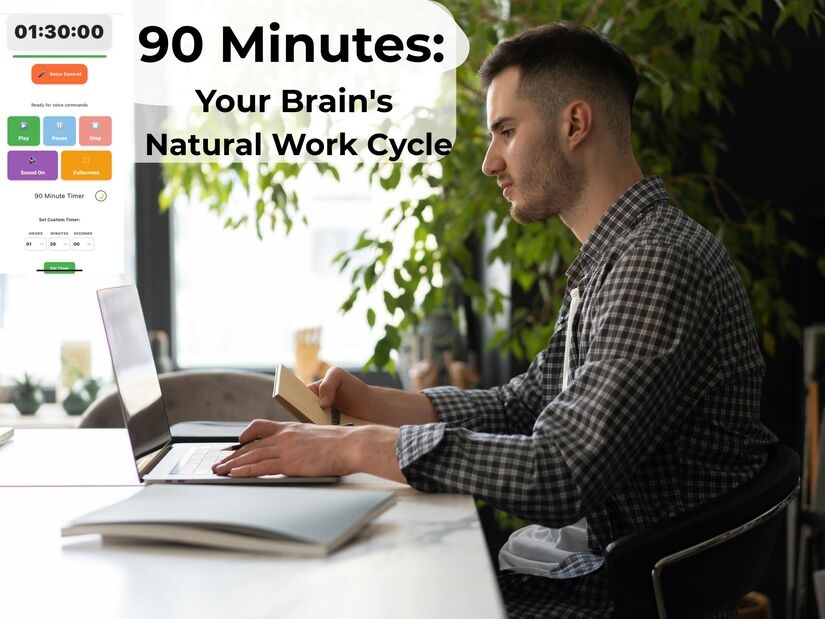
Click Play to start your 60-minute countdown (displays as 01:00:00). Customise the alarm sound to your preference, choose from chimes, bells or beeps that work best for you.

Use Pause whenever you need to step away briefly, then hit Play to resume exactly where you left off. Need to start over?

The Stop button resets everything.

For hands-free operation, activate Voice Control and use simple commands like “start 1 hour timer” or “pause timer.” The progress bar displays your remaining time at a glance.

Switch to Fullscreen mode to eliminate distractions and keep your focus sharp.

When your hour completes, your chosen alarm sounds to signal it’s time for a break. Everything runs directly in your browser, no downloads, no installations, no hassle.

Start your first timed session now → 1 hour timer tool

Your First Session Today: Pick one meaningful task right now. Not your entire to-do list, one specific thing. “Draft the introduction to my report” or “Code the login authentication feature.” Open the timer, press play and begin. That’s it.

The methodology below explains why this works and how to optimise it. But if you just need to start, you’ve got everything you need right here.

Recent research confirms what productivity experts have long observed: our brains are optimally wired for work sessions of 50 to 90 minutes, not endless marathons.

A structured 1 hour timer lands squarely within this peak focus window. According to University of Illinois researchers, brief diversions and session boundaries dramatically improve sustained attention and prevent cognitive fatigue.

What makes this method so effective is its psychological impact. Setting a clear endpoint, like a 1 hour timer, shifts your brain into high gear.

Suddenly, there’s a sense of urgency and purpose: you’re working toward the timer signal, not vague completion or exhaustion. That simple boundary motivates deeper focus.

This structure also eliminates decision fatigue. With the timer running, you never have to ask, “Should I keep going? Can I check my phone? Is this taking too long?” The timer is your guide. You just work until it rings, freeing your mind to concentrate on the task at hand.

The Zeigarnik Effect in Action

When you interrupt work at the timer’s end rather than its natural completion, your brain maintains better engagement with the task.

This is the Zeigarnik effect, our psychological tendency to remember uncompleted tasks more vividly than completed ones.

You’ll find it easier to dive back in after your break because your mind hasn’t fully let go. I’ve tested this extensively across writing, coding and strategic planning. The difference is remarkable. One focused hour beats three hours of distracted “work” every single time.

Best Tasks for 1 Hour Timer Sessions

Not every task deserves an hour. Save your 60-minute blocks for work that truly matters and benefits from sustained concentration.

Excellent Fits for Hourly Sessions:

  • Writing and content creation (reports, articles, documentation)
  • Software development and debugging
  • Data analysis and research
  • Strategic planning and problem-solving
  • Creative work (design, architecture, composition)
  • Deep learning and studying complex material

Poor Fits for Hourly Sessions:

  • Email management (better in 15-20 minute bursts)
  • Quick administrative tasks (use 5-10 minute blocks)
  • Meetings and collaborative work (requires flexibility)
  • Work requiring constant interruptions or monitoring

Writing thrives in hourly sessions. Whether you’re drafting reports, creating content or working through complex communications, uninterrupted time lets ideas flow. You’ll find your rhythm around the 15-minute mark and sustain it beautifully through to the timer’s end.

Creative work loves these blocks also. Design, problem-solving, strategic-thinking, they all need mental space to breathe. When you’re not constantly interrupted, your brain makes connections it would otherwise miss. Those breakthrough moments happen in extended focus, not fragmented attention.

Man using 1 hour timer during deep work session with laptop in focused workspace environment
Deep work thrives with 1 hour timer sessions that eliminate distractions and create sustained focus

Understanding vs. Pomodoro: When to Use Each

You’ve probably heard of the Pomodoro Technique with its 25-minute intervals. Both methods work, for different purposes. Here’s when to use each:

Use 25-Minute Pomodoros When:

  • You’re procrastinating on task initiation (shorter commitment feels manageable)
  • Learning new material that requires frequent consolidation breaks
  • Tasks needing regular reality checks to avoid going down rabbit holes
  • You’re already mentally fatigued and can’t sustain longer focus

Use 60-Minute Blocks When:

  • Deep work requiring mental model building (programming, writing, analysis)
  • Creative work that requires uninterrupted flow state
  • Tasks with high context-switching costs (you lose significant time getting back into it)
  • You’re fresh and have high mental energy available

Recent studies confirm that tackling complex problem-solving tasks demands long, uninterrupted focus periods. Extended work blocks enable deeper cognitive processing and more effective mental model construction, key for strategic thinking and advanced analysis.

According to MIT’s research on sustained concentration for problem-solving the brain achieves optimal accuracy and adaptable reasoning strategies only when given sufficient, distraction-free time.

For maximum productivity, professionals often use both approaches: short Pomodoro sessions are ideal for rapid tasks like morning emails, while full hour blocks unlock true deep work throughout the afternoon.

This flexible strategy blends focus duration with task complexity for better outcomes.

1 Hour Timer Productivity Quiz

Master the 1 Hour Timer

Test Your Knowledge of 60-Minute Focus Blocks

Question 1 of 3

According to research, what is the optimal duration for focus sessions that prevents cognitive fatigue?

Question 2 of 3

What is the Zeigarnik Effect and how does it benefit 1 hour timer sessions?

Question 3 of 3

Which type of task is BEST suited for 60-minute timer sessions rather than shorter Pomodoro intervals?

Setting Up Your Perfect 60-Minute Work Session

The timer itself is simple. The environment you create around it determines your success. Get these fundamentals right and you’ll wonder how you ever worked any other way.

Pre-Session Preparation: The 5-Minute Setup

Start by choosing exactly what you’ll work on. Vague intentions, such as “work on project”, doom you before the timer starts.

Instead, define a concrete outcome: “Draft introduction and first two sections of proposal” or “Build user authentication feature and write tests.”

The Preparation Checklist:

  • Define one specific deliverable for this hour
  • Gather all materials, documents, and tools before starting
  • Close all unrelated browser tabs and applications
  • Set “Do Not Disturb” on all communication platforms
  • Have water within reach to avoid breaking focus
  • Use the bathroom now (sounds obvious, but prevents mid-session breaks)

Clearing your workspace of visual clutter is critical for optimal productivity. As demonstrated by Princeton University’s neuroscience research on workspace organisation and cognitive performance, a cluttered environment competes for your attention and reduces working memory capacity.

To fully benefit from a 1 hour timer for focus and productivity, ensure your desk is clean and all necessary materials are at hand, your cognitive resources will thank you.

Remember, when you start your focus session with a 1-hour timer, only true emergencies should justify breaking your concentration. Preparation and an organised environment set you up for sustained deep work.

The Optimal Work Environment: Temperature, Light, and Sound

Temperature affects focus more than most people realise. Research from Cornell University found that 21-22°C (70-72°F) creates ideal cognitive conditions.

Workers in this temperature range made significantly fewer errors and demonstrated measurably higher productivity.

Too warm (above 24°C) and you get drowsy. Too cold (below 19°C) and you’re distracted by discomfort. If you control your thermostat, this single adjustment can dramatically improve your output.

Lighting matters too. Natural light wins when available, but failing that, bright overhead lighting (around 500 lux) keeps you alert. Dim lighting signals your brain it’s rest time.

You want your environment to communicate “this is work mode” through every available channel.

Sound is highly personal. Some people need complete silence and benefit from noise-cancelling headphones. Others focus better with instrumental music or ambient sounds that mask environmental distractions.

Experiment during your first week to discover what works for you. Your optimal environment might surprise you.

A clean, organized home office desk setup with computer, plants, and soft lighting showing an ideal focus environment for using a 1 hour timer effectively.
Your workspace shapes your focus. Create a calm, organised environment before starting your 1 hour timer session for maximum productivity.

Starting Your Session: The 30-Second Ritual

Take 30 seconds before starting the timer to centre yourself. This isn’t meditation, it’s mental preparation. Three deep breaths. Review your specific goal for this hour. Visualise completing it.

This tiny ritual signals your brain that serious work is beginning. After 10-15 sessions, this sequence becomes a psychological trigger. Your focus will activate automatically when you perform the ritual.

Start the timer and immediately engage with the task. Don’t ease into it. Don’t check one more thing. The countdown begins, you begin. Those first five minutes set the tone for the entire session.

Expect the first 10-15 minutes to feel slightly awkward. Your brain is shifting gears from reactive mode to deep focus. Push through this transition period. Around the quarter-mark, you’ll settle into genuine flow. That’s when the real work happens.

Strategic Break Protocol: Recovery That Actually Works

Your break strategy matters as much as your work strategy. Poor recovery destroys the benefits of focused sessions. Get this right and you’ll sustain high performance all day.

The Science-Backed 10-15 Minute Break

When your timer rings, stop immediately. Even if you’re mid-sentence or mid-thought. Especially then. Breaking at arbitrary moments leverages the Zeigarnik effect, that your brain stays engaged with unfinished work, making the next session easier to start.

What to Do During Breaks:

  • Stand up and move (walk around, stretch, step outside)
  • Hydrate (drink water, not more caffeine)
  • Rest your eyes (look at distant objects, preferably outdoors)
  • Light snacking if genuinely hungry (avoid heavy meals)
  • Bathroom break (prevents mid-session disruptions)

What to Avoid During Breaks:

  • Email, Slack or work communications (this isn’t recovery)
  • Social media or news (your attention system needs rest, not different stimulation)
  • Video content (your eyes need a break from screens)
  • Starting new tasks or checking your to-do list
  • Anything requiring decision-making

Research published in the Cognition journal found that exposure to nature during breaks, even something as simple as looking at trees through a window, significantly restores attention capacity compared with staying in artificial environments.

Physical movement increases blood flow and clears mental cobwebs. Your brain has been burning glucose intensely for an hour. Movement helps restore cognitive resources.

Man in business attire stretching outdoors, symbolizing taking real breaks during a 1 hour timer productivity routine to recharge and recover focus.
Real breaks create real recovery. Step away, breathe and reset between your 1 hour timer sessions to maintain lasting focus and energy.

Daily Limits: How Many Sessions Are Sustainable?

Here’s the reality: most people can sustain three to four hours of high-quality focus each day. Beyond that, cognitive fatigue sets in, making further work inefficient. It’s far better to complete three excellent hours than six mediocre ones.

This isn’t permission to slack off. It’s recognition of how human brains work. After your focused sessions, you still have meetings, emails and lighter work. But you’ve already completed your most important thinking before lunch. That’s the power of the one-hour timer method.

Sustainable Weekly Structure:

  • Week 1-2: Three 60-minute sessions per week
  • Week 3-4: Five sessions per week (one per weekday)
  • Month 2+: 3-4 sessions per day, 5 days per week

Listen to your body. Some days you’ll easily handle four sessions. Other days, three feels like pushing. Life isn’t perfectly consistent. Aim for sustainability over heroics. Regular practice beats sporadic overachievement every time.

Troubleshooting: Solving Common Focus Challenges

Even with the perfect setup, you will face obstacles. Here’s how to handle the most common ones without abandoning the practice entirely.

The “Touch and Go” Technique for Mid-Session Distraction

Your mind will wander. It’s normal, not a failure. When you catch yourself drifting, use the “touch and go” technique:

  1. Notice the distraction without judgment
  2. Jot it down quickly if it’s important (2-3 words maximum)
  3. Return immediately to your task

No guilt, no extended mental tangent about why you got distracted. This technique acknowledges that intrusive thoughts happen whilst preventing them from derailing your entire session.

If you’re repeatedly losing focus every 3-5 minutes, the task itself might be the problem:

  • Is it clearly defined enough?
  • Do you have all the information you need?
  • Is it genuinely important, or are you forcing yourself to care?

Sometimes, persistent distraction signals that you need to pause and clarify what you’re actually trying to accomplish. Consider breaking stubborn tasks into two 30-minute blocks with a short break between.

Man sitting thoughtfully in a quiet room, symbolizing the mental effort required to push through distractions during a 1 hour timer focus session.
Push through distractions. When your 1 hour timer is running, stay present and protect your focus from interruptions.

Progressive Training: Building from 30 to 60 Minutes

If you’re recovering from years of distracted work habits, be patient with yourself. Your attention span is like a muscle after months without exercise. It needs gradual rebuilding, not immediate maximum effort.

The 8-Week Build-Up Plan:

Weeks 1-2: Start at 30 minutes

  • Complete 3 sessions per week
  • Focus on consistency, not duration
  • Success = finishing without checking phone

Weeks 3-4: Increase to 40 minutes

  • Same 3 sessions per week
  • Notice the first 10 minutes feel easier
  • Success = less clock-watching

Weeks 5-6: Progress to 50 minutes

  • Increase to 4 sessions per week
  • Mental stamina noticeably improved
  • Success = forgetting the timer is running

Weeks 7-8: Achieve 60 minutes

  • Full hour feels sustainable
  • 4-5 sessions per week comfortably
  • Success = automatic focus when the timer starts

This progressive approach prevents the frustration and burnout that comes from attempting too much too soon. Slow and steady genuinely wins here.

Celebrate small wins. Completing your first full hour without checking your phone is genuinely worth acknowledging. You’re rewiring neural pathways that took years to form. Progress deserves recognition.

Advanced Implementation: Taking It Further

Once you’ve mastered basic implementation (typically after 4-6 weeks), these advanced strategies can take your productivity even further.

Extended Deep Work: Beyond 60 Minutes

Some tasks genuinely need more than 60 minutes. Complex coding projects, detailed writing, or comprehensive analysis might require 90-120 minute blocks. Once you’ve built solid focus capacity, experiment with longer sessions.

The Hybrid 100-Minute Approach:

  • 50 minutes of focused work
  • 5-minute micro-break (stand, stretch, breathe)
  • 50 minutes of focused work
  • 15-minute full break

This gives you 100 minutes of focused work whilst maintaining recovery periods. You get the extended time for deep thinking without the cognitive fatigue of pushing through for two straight hours.

When to Use Extended Sessions:

  • Complex problems requiring extensive context loading
  • Creative projects needing sustained flow state
  • Writing sessions where you’ve found your rhythm
  • Final pushes before deadlines (not sustainable daily)

For extended focus, try our → 2 hour timer tool

Achieving Flow State Consistently

Flow state, that magical zone where work feels effortless, requires specific conditions. Psychologist Mihály Csíkszentmihályi identified these prerequisites: clear goals, immediate feedback and appropriately challenging tasks. Your hourly sessions create perfect conditions for reaching flow consistently.

The Flow State Setup:

  1. Clear goal – know exactly what “done” looks like for this session
  2. Appropriate challenge – not too easy (boredom) or too hard (anxiety)
  3. Immediate feedback – you know moment-to-moment if you’re progressing
  4. Minimal distractions – environment supports focus, not fights it
  5. Pre-session ritual – triggers that signal “focus mode” to your brain

My personal ritual: three deep breaths, reviewing my specific goal, checking my environment, then starting the timer. After dozens of repetitions, this sequence signals my brain that deep work is beginning. Your ritual becomes a psychological switch.

Quality trumps quantity in flow work. One hour of genuine flow state accomplishes what three hours of distracted effort cannot. Stop measuring productivity by time spent and start measuring by outcomes achieved.

Professional achieving flow state using 1 hour timer for concentrated work at computer
Entering the flow state zone is easier with structured 1 hour timer sessions that eliminate distractions

Implementation Plan: Start Tomorrow

You’ve got the knowledge. Now it’s about implementation. Here’s exactly how to begin tomorrow, not someday, tomorrow.

Tonight’s Preparation (5 Minutes)

Choose your first task right now. Something important but not terrifying. You want early success to build momentum. Write it down specifically:

✅ “Draft three paragraphs of report introduction”
❌ “Work on report”

✅ “Code login authentication function and write two tests”
❌ “Do some coding”

Block your time. Open your calendar right now and block 60 minutes for tomorrow. Morning works for most people (mental energy is highest), but if you know you’re sharper later, schedule accordingly. The key is committing to a specific time, not leaving it to chance.

Prepare your workspace tonight. Clear your desk, close unnecessary browser tabs, charge your devices and gather materials. When morning comes, you start immediately instead of spending 15 minutes getting ready. That preparation removes friction.

Tool Recommendations

Our Timer Tools:

All tools are web-based and work seamlessly on phones, tablets and computers. No downloads, no apps, no fuss.

Building the Habit: First 30 Days

Week 1: Establish Consistency

  • Three 60-minute sessions (or 30 minutes if building up)
  • Monday, Wednesday, Friday work well
  • Track completions with simple checkmarks
  • Goal: Prove you can complete sessions

Week 2-3: Increase Frequency

  • Add Thursday, then Tuesday
  • Same time each day when possible
  • Notice focus stamina improving
  • Goal: Make it feel routine, not special

Week 4: Optimise and Refine

  • Experiment with session timing (morning vs. afternoon)
  • Test different break activities
  • Adjust environment based on what you’ve learned
  • Goal: Find your sustainable rhythm

Beyond Month 1: Long-Term Sustainability

  • 3-4 focused hours become your daily norm
  • You accomplish meaningful work in less total time
  • Projects finish faster, whilst you feel less exhausted
  • You automatically think in 60-minute increments

Mastering how to use a 1-hour timer isn’t about complex techniques or perfect execution. It’s about showing up consistently, protecting your focus time and trusting the process. Start tomorrow. One hour. One task. Watch what happens.

Team celebrating productivity success after implementing 1 hour timer focus sessions
Your productivity transformation begins today, start your first 1 hour timer session and see immediate results

Common Questions About Using a 1 Hour Timer

Start with 30-40 minutes if a full hour feels overwhelming. Build up gradually over 2-3 weeks. Your attention span is like a muscle, it needs progressive training. Research on attention development shows that gradual progression creates stronger habits than attempting maximum duration immediately. Most people reach comfortable 60-minute sessions within a month of consistent practice.

It depends on your task type and mental energy. Use 25-minute Pomodoros for learning new material, procrastination busting, or when you need frequent reality checks. Choose 60-minute blocks for deep work, creative projects, and tasks requiring sustained flow state. Studies on complex problem-solving show that longer uninterrupted focus periods significantly improve outcomes for cognitively demanding work. Many people use both strategically throughout their day.

Most people sustain 3-4 high-quality focused hours daily. Beyond this, cognitive fatigue reduces effectiveness significantly. Quality matters more than quantity, three excellent hours beat six mediocre ones. Space sessions throughout your day with proper breaks for best results. Research on cognitive fatigue consistently shows diminishing returns after approximately four hours of intense mental work.

Take 10-15 minute breaks between sessions. Move your body (walk, stretch, step outside if possible), hydrate, and rest your eyes by looking at distant objects. Avoid email, social media, or other demanding tasks—your brain needs genuine recovery, not different work. Studies show that nature exposure during breaks restores attention capacity more effectively than staying indoors. Your next session’s quality depends entirely on break quality.

Absolutely, and you should. Start with 20-30 minutes and add 5-10 minutes every two weeks. There’s no shame in progressive training. Building focus capacity takes time, especially if you’re recovering from years of distraction habits. Consistency matters far more than duration initially. You’re training a cognitive skill that requires practice and patience.

Deep work like writing, coding, analysis, strategic planning, and creative projects benefit most from 60-minute blocks. Learning, studying and problem-solving also thrive with sustained concentration. Avoid using hourly timers for quick admin tasks, emails or work requiring constant interruptions these work better in 10-20 minute bursts. Match your task depth to your time block depth for optimal results.

Similar Posts